![Logo white.png]](https://www.constrafor.com/hs-fs/hubfs/KB-ConstraConnect/Logos/Constrafor%20Logo%20-%20White/Logo%20white.png?height=40&name=Logo%20white.png)
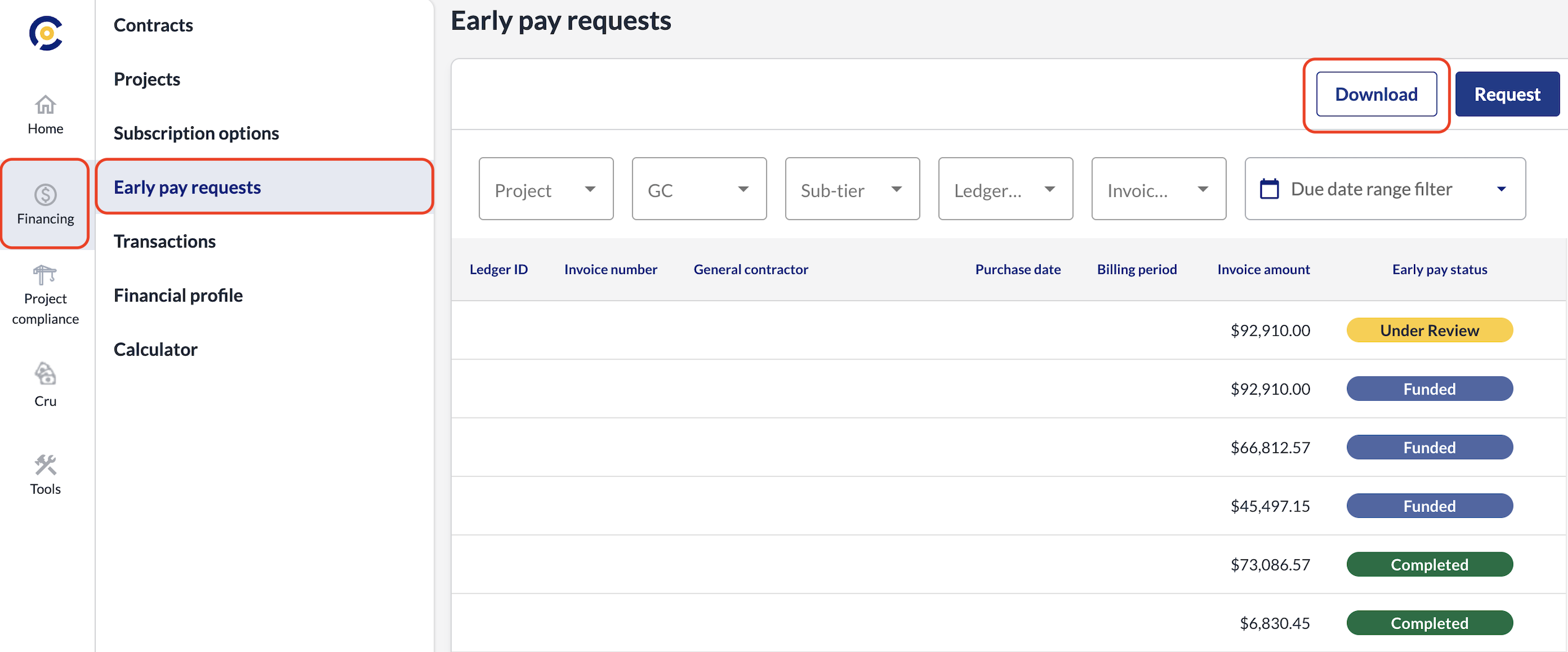
To download reports, log into your Constrafor account. Navigate to the Financing section on the left-hand sidebar and select Early Pay Requests from the menu that appears just to the right of that sidebar. From there, click the Download button on the right side of the page to generate the report you need.